RootPath

RootPath

Date Published: 06/02/2026

Topics: Web Design Social-Media

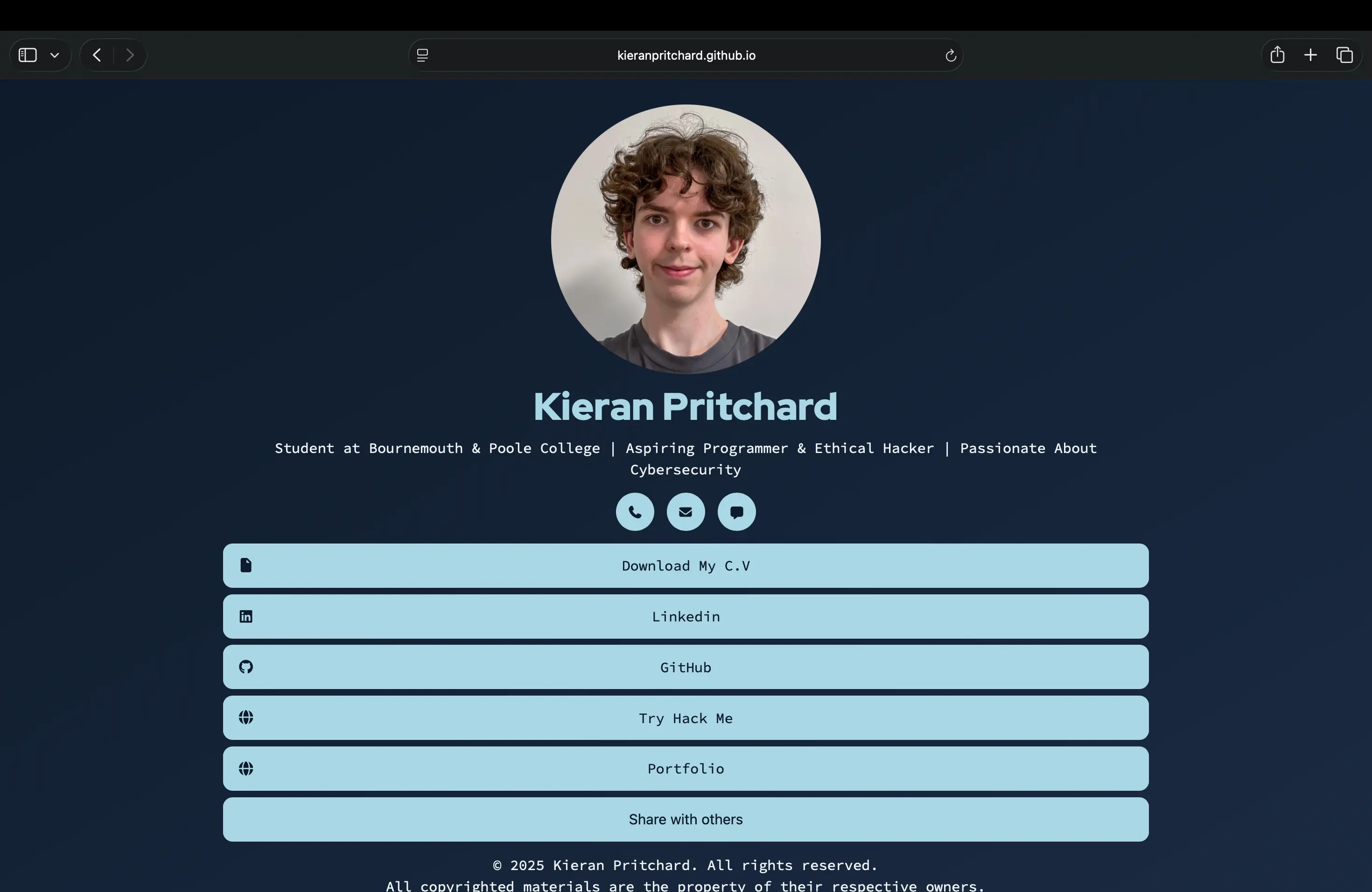
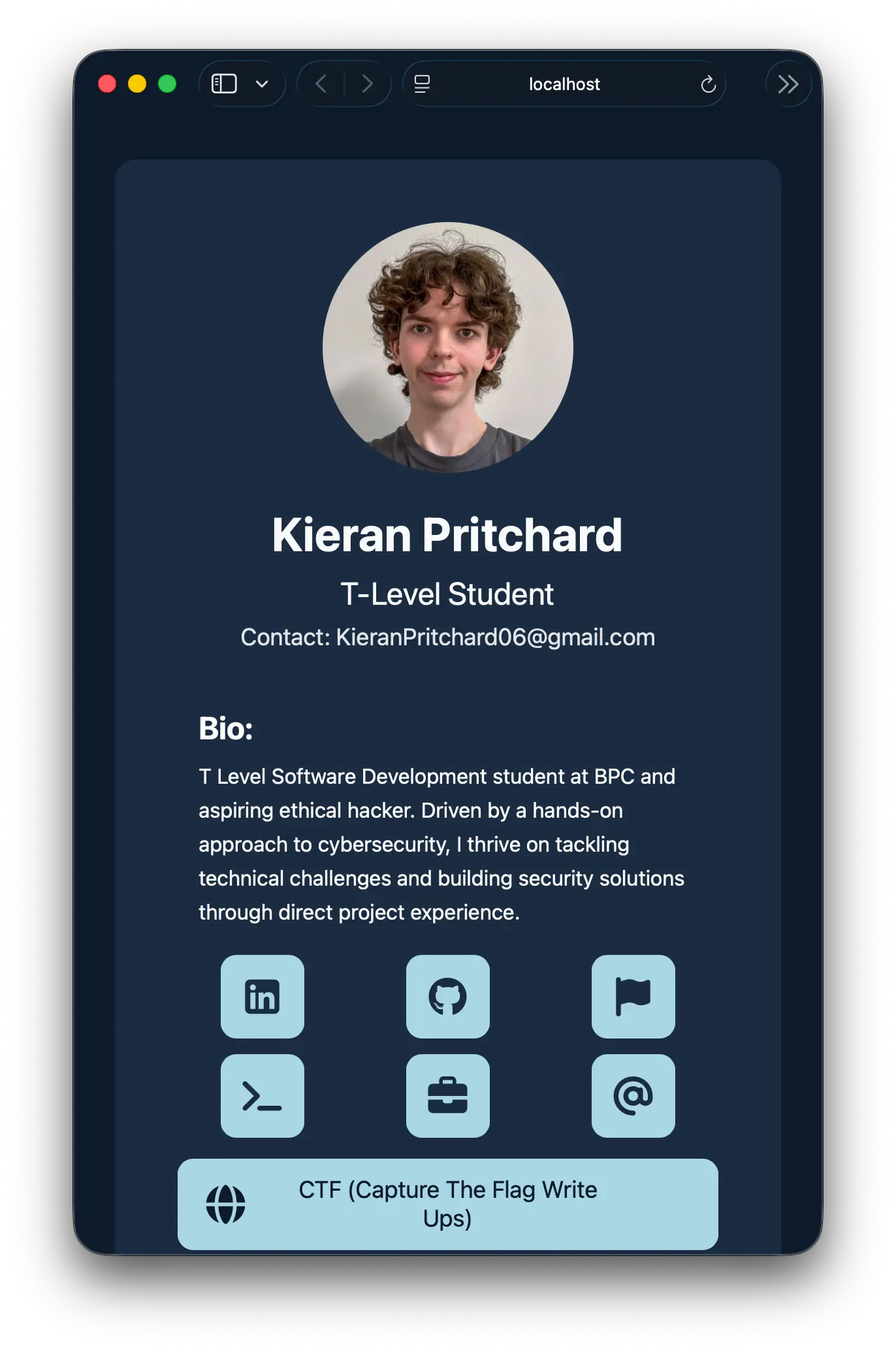
A complete breakdown of my "Rootpath" development journey, where I transitioned a standard Link Tree clone into a professional, desktop-optimized web application. Each section of this log offers a deep dive into the technical challenges I faced, from refactoring component architecture and implementing responsive grid systems to refining the UI/UX for a native-app feel. I have documented every major pivot and milestone, providing a transparent look at my problem-solving process and the final codebase."
The Blueprint & Vision

Focus: Architecture over Speed

The journey began with a realization: most link-in-bio tools fail to scale on desktop. I decided to strip back my original clone to build a high-performance web app. I established three pillars for the project: responsive grid engineering, a custom branding engine, and modular component architecture.

Key Takeaway: "Slowing down to speed up"—getting the architecture right early so I could scale later.

Kieran Pritchard working on a computer in a classroom.

Bridging the Responsive Gap

Kieran Pritchard working on a computer in a classroom.

Focus: UI/UX Design

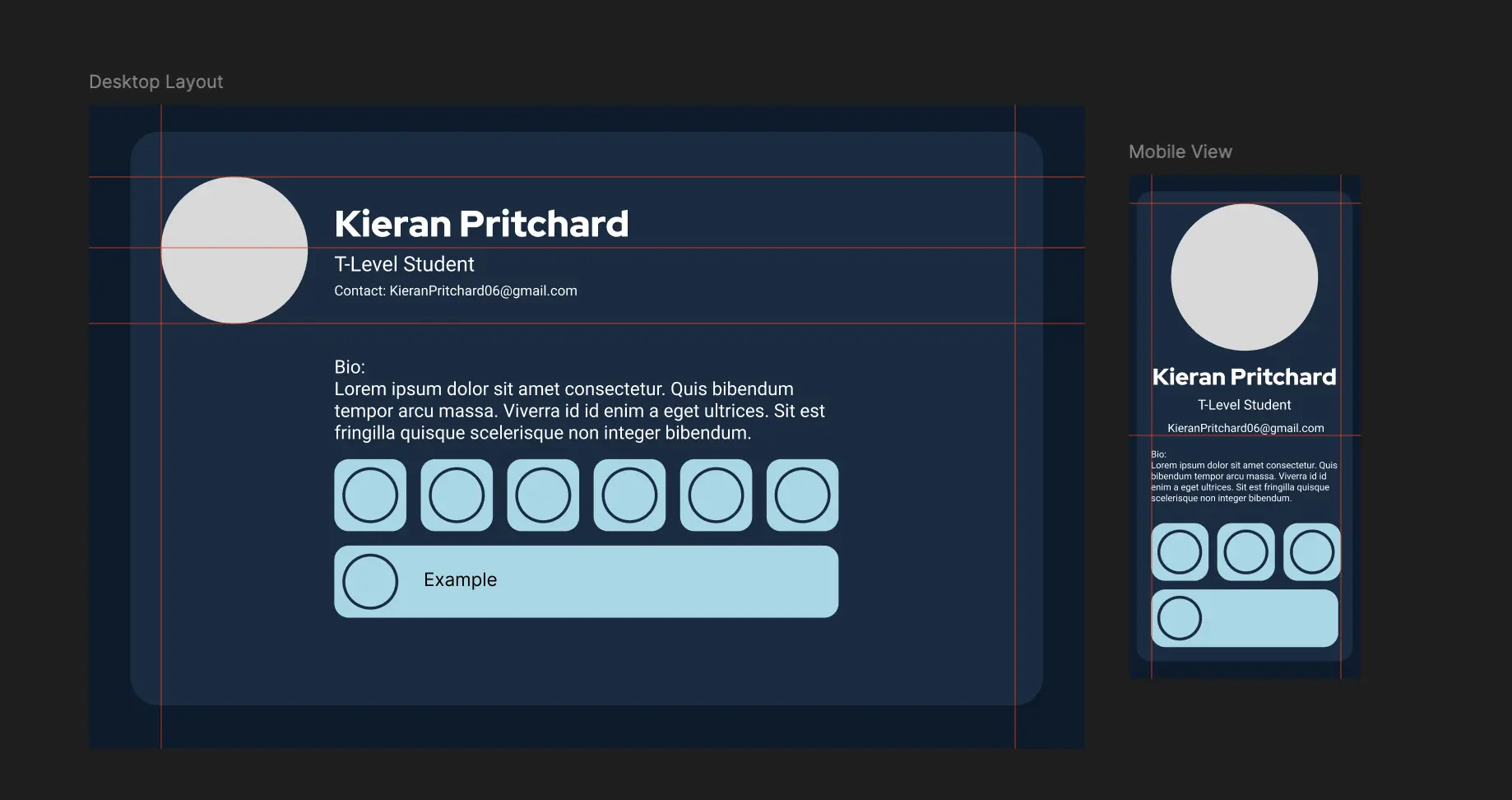
Before touching the code, I moved into a design-first phase. I mapped out a "desktop-first" optimization that utilized a horizontal grid rather than a single vertical column. This ensured the app would feel like a professional landing page on a 27-inch monitor while remaining a utility-first tool on mobile.

Technical Note: Designed with React modularity in mind to ensure a seamless transition from Figma to code.

The Structural Refactor

Focus: Clean Slate Foundation

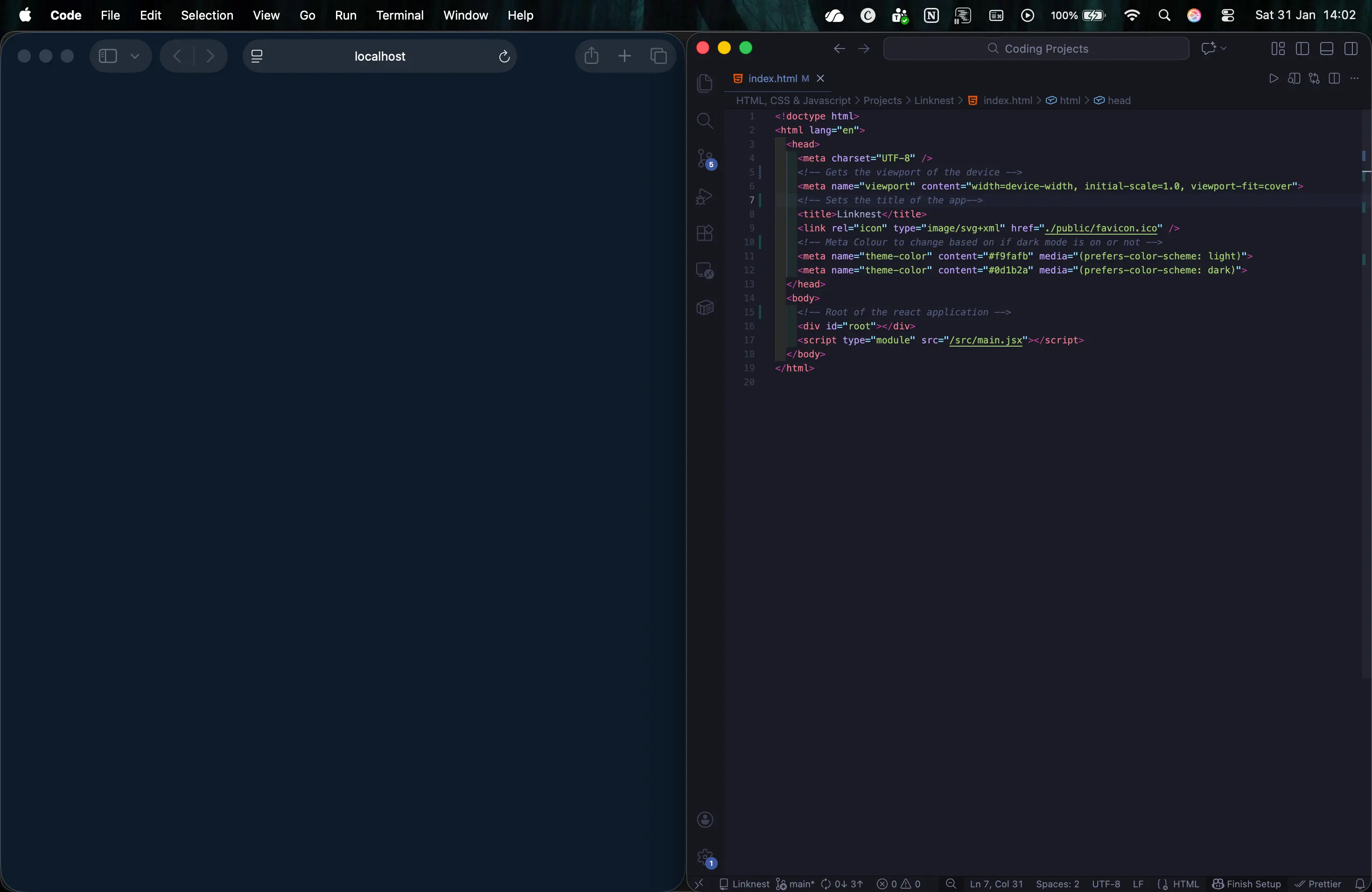
I officially entered the codebase by decluttering App.jsx and implementing an atomic folder structure. By organizing components into categories like /Backgrounds, /Bio, and /Buttons, I created a scalable environment. I also implemented the theme-color meta tag fix to sync the mobile browser UI with the app’s dark mode.

Impact: Established a foundation that handles custom desktop and mobile views without "spaghetti code."

Kieran Pritchard working on a computer in a classroom.

Logic Consolidation (DRY)

Kieran Pritchard working on a computer in a classroom.

Focus: Code Efficiency

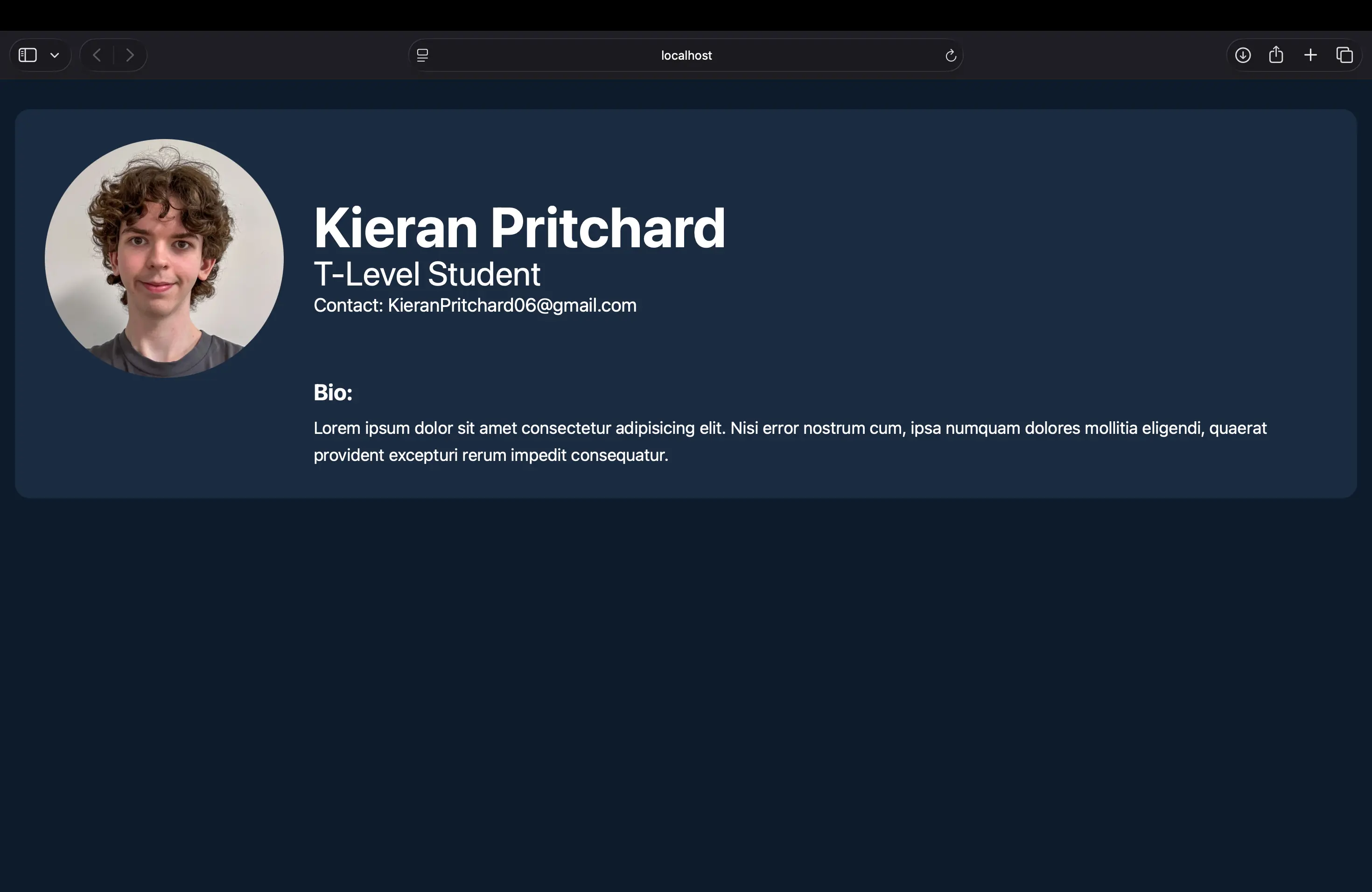
With the foundation set, I focused on the "Don't Repeat Yourself" (DRY) principle. I reformatted the Biography section and merged redundant elements that were performing similar tasks. This reduced the overall file size and made the layout much easier to maintain for future feature updates.

Impact: Higher maintainability. Shrinking the codebase while improving the functionality.

The Design Pivot

Focus: Product Intuition

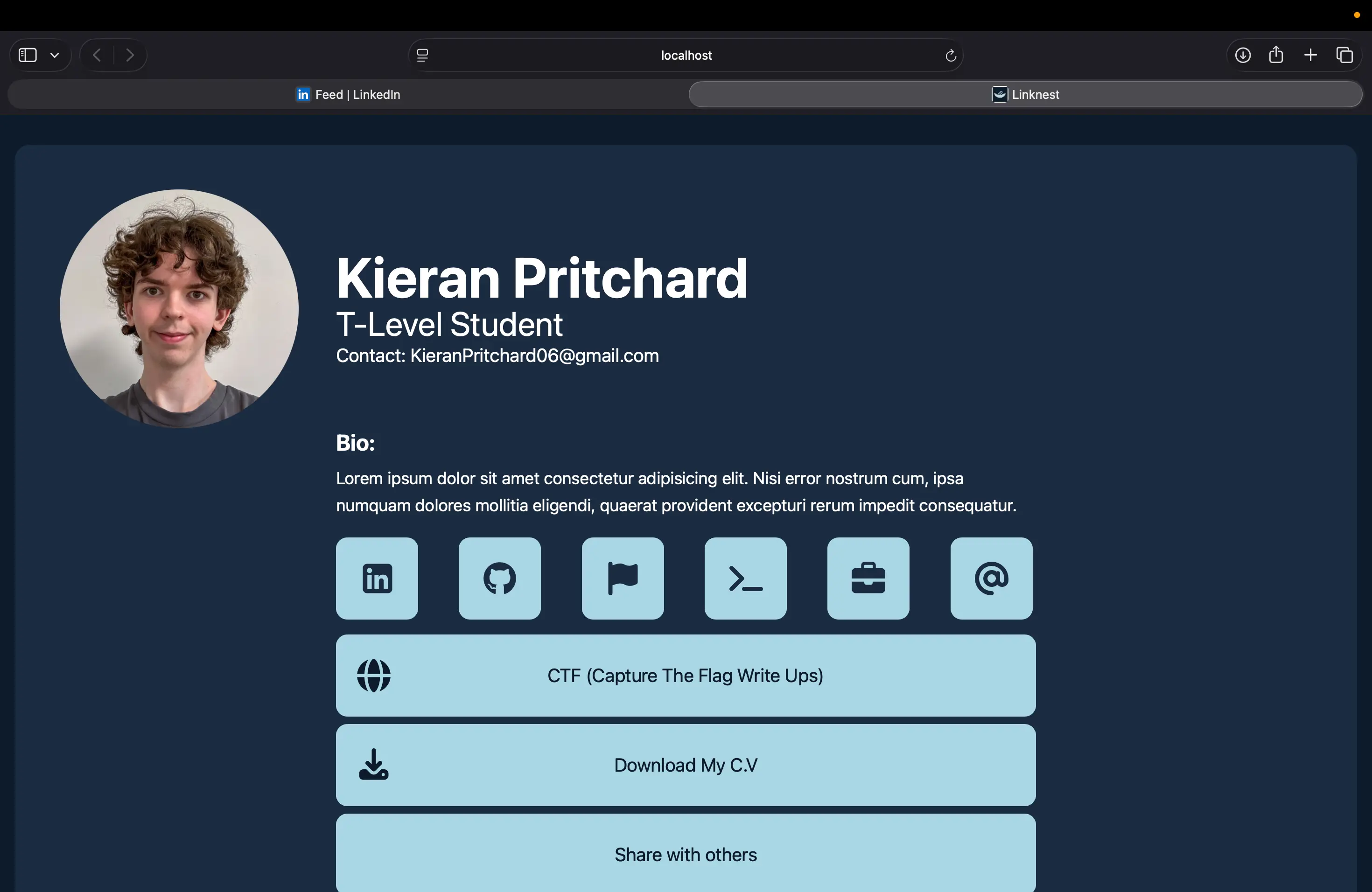
While coding, I realized my original Figma draft didn't feel "right" in the browser. I pivoted to a centered layout for better visual balance and refactored the "Download CV" button into a universal file-download component. I also introduced "Progressive Disclosure" by moving the QR code into a clean dropdown menu.

Key Lesson: Sometimes you have to break your own design rules to achieve the best user experience.

Kieran Pritchard working on a computer in a classroom.

Launch & Identity

Kieran Pritchard working on a computer in a classroom.

Focus: Branding & Deployment

In the final phase, I rebranded the project as Rootpath. The name reflects the hacker-inspired aesthetic of giving users "root access" to my professional presence. I finalized the responsive transitions and deployed the build to GitHub Pages for live testing and community feedback.

Current Status: Live, responsive, and ready for "root" navigation.

Feedback Video