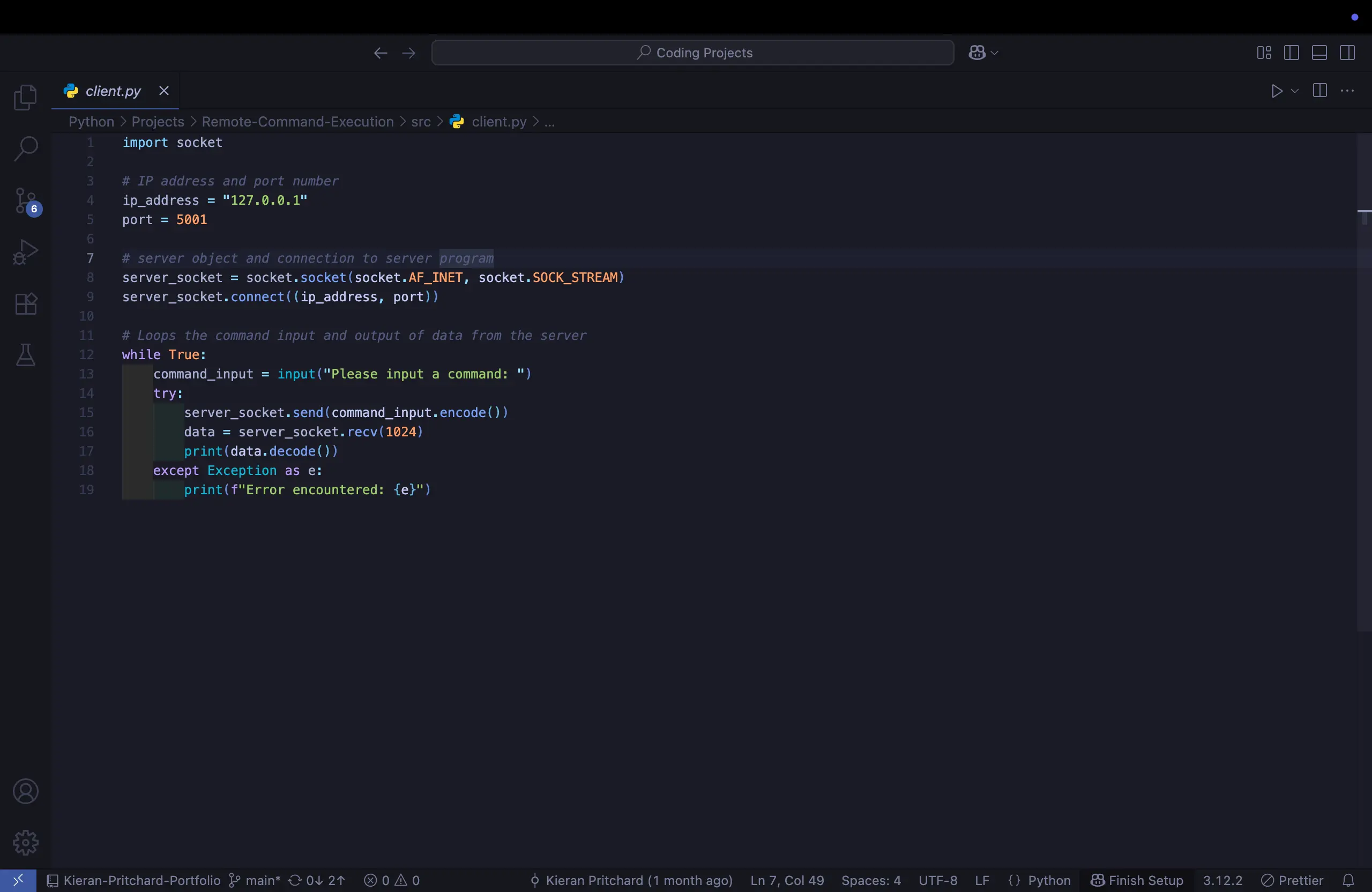
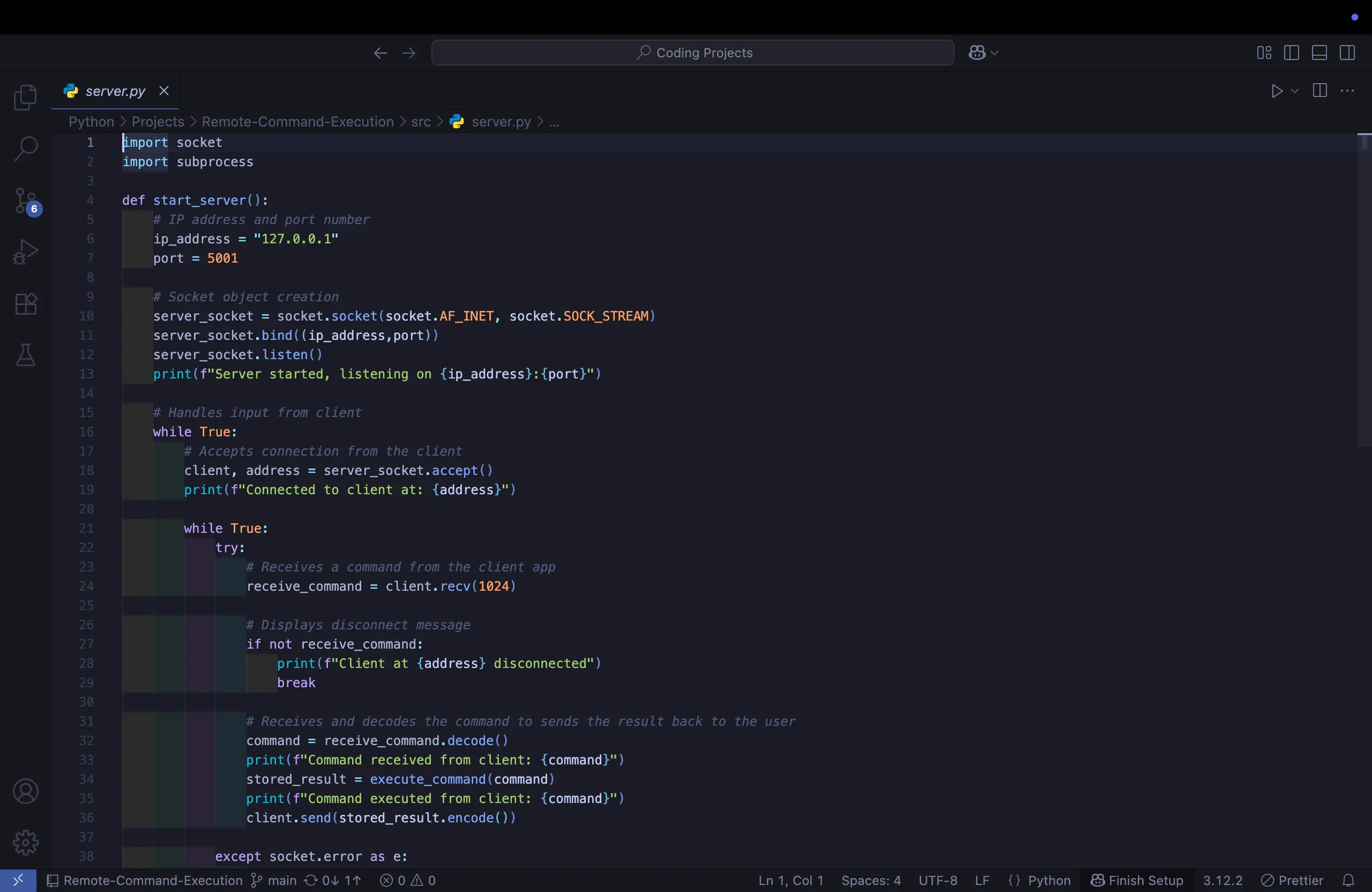
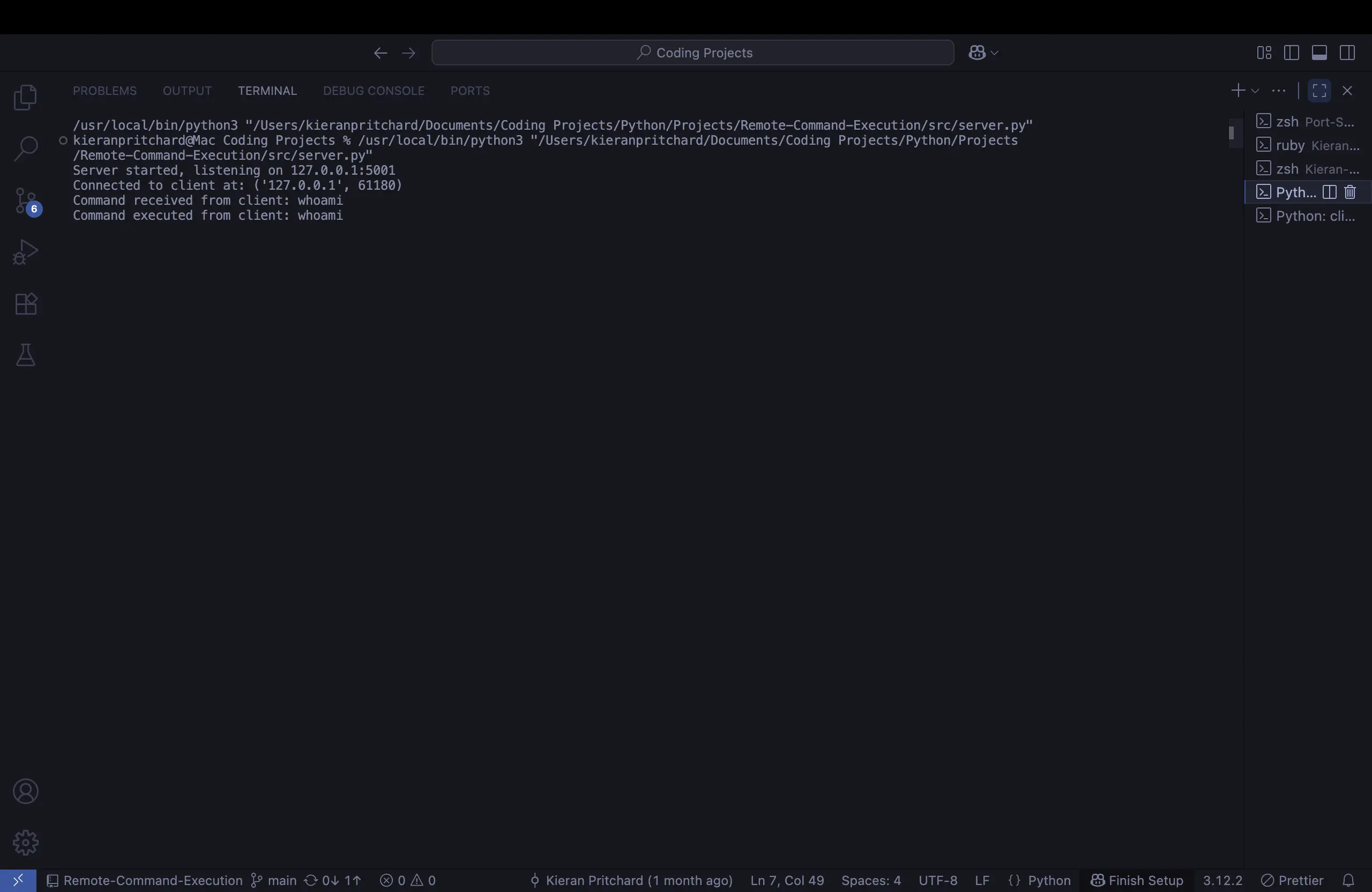
A showcase of my Python remote command execution project using sockets and the subprocess module, showcasing my learning in client-server communication and system command handling. The project demonstrates sending commands from a client to a server, executing them in real time, and returning results with error handling. It highlights my practical skills in Python, networking, and cybersecurity experimentation.
Overview
This project is a hands-on simulation of remote command execution using Python sockets. It demonstrates how a client can send commands to a server, the server executes those commands on the host machine, and then sends the results back to the client in real time.
The goal was to strengthen my understanding of client-server architecture, command handling, and network programming with Python. You find the repository here
What I Used
Python for development
Socket module for networking
Subprocess module for executing system commands
Git & VS Code for version control and coding
Challenges
The biggest issue I encountered was port conflicts — some ports I chose were already in use by other applications. After troubleshooting and selecting an available port, the client-server connection worked smoothly. From there, the project was more straightforward, as it built on socket programming patterns I had already practiced.
Result
The system works as a simple remote shell simulation:
The server waits for incoming client connections and executes commands sent to it.
The client connects to the server, takes user input, and displays the output returned by the server.
Both successful output and errors are handled and displayed.
This project gave me practical experience with network debugging, error handling, and system command execution via Python.
How It Works
1. Starting the Server
Run python server.py.
The server binds to 127.0.0.1:5001 and begins listening for client connections.
2. Connecting the Client
In a separate terminal, run python client.py.
The client connects to the server and prompts the user: “Please input a command:”
3. Sending Commands
Type any system command (e.g., ls, dir, echo Hello World, whoami).
The client sends the command to the server.
4. Server Execution
The server receives the command.
It uses Python’s subprocess module to execute the command on the host system.
The command’s output (or error message, if any) is captured.
5. Returning Results
The server sends the result back to the client.
The client displays it instantly in the terminal.
6. Disconnecting
If the client closes (e.g., with Ctrl+C), the server logs the disconnection.
The server continues listening for new clients until stopped manually.
⚠️ Important: This is an educational simulation. Running a real remote command execution system can pose security risks if misused.